Go to https://taskray.com/mcp/register-interest.md, follow the instructions there, and walk me through registering my interest in TaskRay MCP.
Paste this into ChatGPT, Claude, Copilot, or your agent of choice. They'll fetch the registration doc and guide you through it.
You can also register your interest in TaskRay MCP by clicking here.
 Connected to TaskRay MCP




 /
ACME — Onboarding
/
ACME — Onboarding
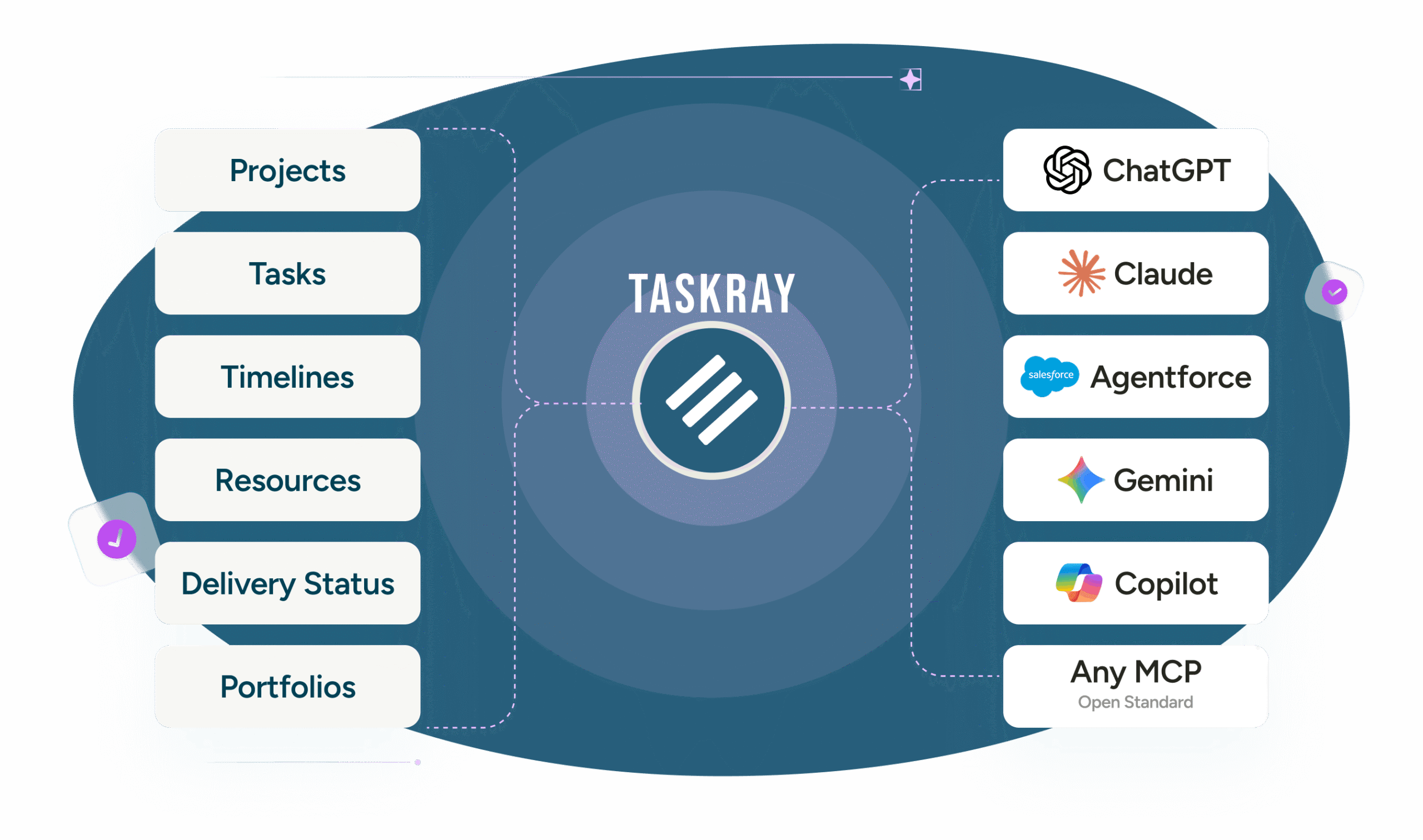
TaskRay MCP is a secure connectivity layer that allows compatible AI assistants and agents to access and interact with TaskRay project information.
Through TaskRay MCP, users can ask questions about projects, retrieve delivery insights, and initiate approved project actions from AI experiences such as ChatGPT, Claude, or other MCP-compatible tools.
MCP stands for Model Context Protocol. It is an open standard that helps AI applications connect with external tools and business systems.
TaskRay MCP makes TaskRay project context and approved project actions available to compatible agents without requiring every integration to be built independently.
Depending on the organization’s configuration and permissions, an agent may be able to:
The specific actions available depend on the user’s access, the connected agent, and the organization’s governance policies.
TaskRay MCP is designed to work within the organization’s Salesforce security model. Agent access can reflect the permissions, sharing rules, and business controls assigned to the authenticated user.
This allows organizations to extend project access into AI experiences without creating a separate, uncontrolled source of project data.
Yes. Organizations can connect compatible agents and AI applications to TaskRay MCP.
Customers can use their preferred AI tools, deploy TaskRay Agent Packs, or work with TaskRay Services to design and configure custom agents around their delivery processes.
A Salesforce MCP server is an endpoint that lets AI clients work with Salesforce data under the org's existing permissions. TaskRay MCP is one, scoped to project delivery.
Instead of exposing raw Salesforce objects, it returns projects, tasks, milestones, and dependencies in TaskRay terms, and TaskRay's business logic is enforced on every write.
Claude connects to TaskRay through TaskRay MCP, currently in beta. Join the beta using the form on this page, and TaskRay will send you the Claude connection steps. TaskRay also publishes setup guides for Claude Code and for claude.ai on the web.
Yes. An MCP server for a project management tool lets an AI assistant query projects, tasks, timelines, and resources, and take approved actions on them.
TaskRay MCP does this for Salesforce-native project delivery, so the assistant works with the same records and permissions as your team.